"How much does this deck cost?" is one of the most common questions in Magic. In this tutorial we'll build a Python script that takes a plain-text deck list, looks up every card and prints what each line costs and what the whole deck comes to. It takes about 60 lines.
What we'll build
You save a deck list as deck.txt, in the format most deck sites export:
4 Lightning Bolt
4 Counterspell
1 Sol Ring
24 Island
You run python price_deck.py deck.txt and get a table with the quantity, the card, the set of the cheapest Near Mint printing, the price per copy and the line total, followed by the total for the deck.
Here are three cards the script will look up:
 Sol RingMasterpiece Series: Kaladesh Inventions$1,600.61Near Mint Foil
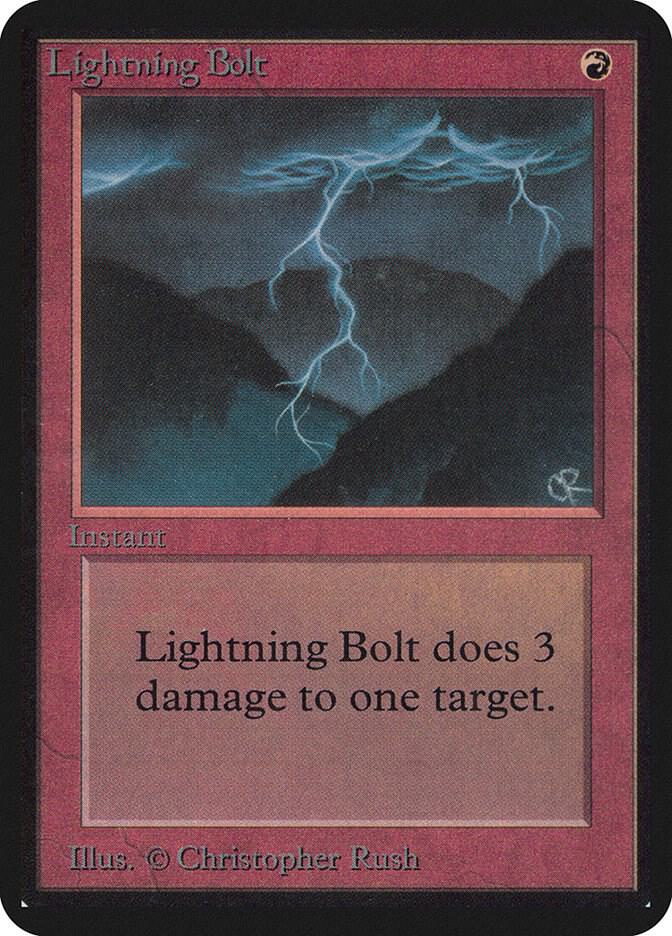 Lightning BoltAlpha Edition$630Near Mint Normal
 CounterspellBeta Edition$919.92Near Mint Normal
What you need
- Python 3.9 or newer and the
requestslibrary (pip install requests). - An API key from the dashboard. The Free plan is enough: the script uses one request per different card name, and Free allows 100 requests a day, so a 60-card deck with 20 to 30 different names costs well under a third of a day's allowance.
- Two environment variables:
TCGPRICEAPI_KEYwith your key andTCGPRICEAPI_URLwith the API address.
Step 1: read the deck list
Each line starts with a count, sometimes written 4x, followed by the card name. Blank lines and headings such as Sideboard should be skipped. A small regular expression handles all of that:
import re

LINE = re.compile(r"^(\d+)\s*x?\s+(.+?)\s*$", re.IGNORECASE)

def read_deck(path):
    deck = {}
    with open(path, encoding="utf-8") as f:
        for raw in f:
            m = LINE.match(raw.strip())
            if m:
                name = m.group(2)
                deck[name] = deck.get(name, 0) + int(m.group(1))
    return deck
Adding up counts by name means a card listed in both the main deck and the sideboard is only looked up once.
Step 2: find the card and its prices
The identify endpoint, POST /v1/cards/match, takes a name and a game and returns the matching cards with their prices in the same request. That is exactly what we need: no separate search, then lookup. Asking for up to 10 candidates gives us every printing of the card that has an exact name match.
import os
import requests

API = os.environ["TCGPRICEAPI_URL"].rstrip("/")
HEADERS = {"X-API-Key": os.environ["TCGPRICEAPI_KEY"]}

def find_candidates(name):
    body = {"name": name, "game": "Magic: The Gathering",
            "condition": "Near Mint", "limit": 10}
    answer = requests.post(f"{API}/v1/cards/match", headers=HEADERS,
                           json=body, timeout=30)
    if answer.status_code == 429:
        raise SystemExit("Daily limit reached. Try again after the limit resets.")
    answer.raise_for_status()
    return answer.json()["candidates"]
A match request counts as one request and one card, however many candidates come back.
Step 3: pick the cheapest Near Mint copy
Most cards have been printed in many sets, and each printing is its own card_id with its own SKUs. For a budget estimate we want the cheapest Near Mint price among the candidates whose name matches exactly. Every price can be null, so skip those.
def cheapest(name, candidates):
    best = None
    for c in candidates:
        card = c["card"]
        if card["name"].lower() != name.lower():
            continue
        for sku in card["skus"]:
            price = sku["market_price"]
            if sku["condition"] != "Near Mint" or price is None:
                continue
            if best is None or price < best[0]:
                best = (price, card["set"], sku["printing"])
    return best
If you would rather price a specific edition, check card["set"] against a set name you choose. If you want foil-only decks, filter on sku["printing"].
Step 4: put it together
The last step loops over the deck, prints each line and keeps a running total. Cards the API can't find or that have no Near Mint price are listed at the end so the total never silently leaves them out.
import sys

def main(path):
    deck = read_deck(path)
    total, missing = 0.0, []
    print(f"{'Qty':>3}  {'Card':<32} {'Set':<28} {'Each':>8} {'Line':>9}")
    for name, qty in deck.items():
        best = cheapest(name, find_candidates(name))
        if best is None:
            missing.append(name)
            continue
        price, set_name, _printing = best
        line = price * qty
        total += line
        print(f"{qty:>3}  {name:<32.32} {set_name:<28.28} {price:>8.2f} {line:>9.2f}")
    print(f"\nTotal: {total:.2f}")
    if missing:
        print("No Near Mint price found for: " + ", ".join(missing))

if __name__ == "__main__":
    main(sys.argv[1])
The full script
Save the pieces above in one file called price_deck.py, in this order: the imports and LINE, read_deck, API and HEADERS, find_candidates, cheapest, then main. Set the two environment variables and run it:
export TCGPRICEAPI_KEY="your-key"
export TCGPRICEAPI_URL="https://tcgpriceapi.com"
python price_deck.py deck.txt
Prices are passed on exactly as reported, so the total is the sum of what the API returns for each card. It is a good estimate of what a deck costs at Near Mint, not a promise that you can buy every card at that price.
Ideas to extend it
- Save each answer to a small file keyed by card name, so pricing the same deck twice, or a similar deck, costs no extra requests. Market prices refresh every 6 hours, so a cache of a few hours is safe.
- On a paid plan, price a whole collection of deck lists by sending names through
POST /v1/cards/lookuponce you have theircard_idvalues. Starter allows 20 cards per request, Pro 100. - Compare two printings: print the cheapest and the most expensive Near Mint copy, so players can see how much a premium version adds.
- Add a budget flag that lists the five most expensive lines, so a player knows where to look for cheaper alternatives.
- Do the same for other games. Change
gametoYuGiOh,One Piece Card GameorDisney Lorcanaand the script works unchanged for decks written as a count followed by a name. - Wrap the script in a Discord command. The Discord price bot guide shows how to connect one.
What you could build
- A deck cost checker on a game store's website, so customers can paste a list and see what it costs before they ask for a quote.
- A "buy this deck" service for a local shop that turns a pasted list into a ready-to-pull order sheet.
- A budget deck finder that tries several printings of each card and suggests the cheapest build.
- A spreadsheet or email report that prices a team's or a club's decks every week.
- An AI assistant that answers "what does this list cost?" using the MCP server and the same key.
Every paid plan, from Starter up, allows commercial use, so any of these can be a paid product. The Free plan is for personal projects.